
What is Holistic Audience Intelligence in Marketing?
Written By
Diana Sull

Capture a holistic picture of audience behaviors, discovering valuable insights with psychographic, browsing interest, and attitudinal data to elevate your marketing strategies.
To deliver an effective customer experience and achieve superior business outcomes, marketers must first deeply understand their audiences. As customer expectations rise, a simple demographic profile is no longer enough.
Holistic audience intelligence provides a complete picture of consumer behaviors by integrating multiple data types:
- Psychographic Data: Understands a consumer's values, attitudes, interests, and lifestyles.
- Browsing Interest Data: Reveals what content, products, and topics a user is actively consuming in real-time.
- Attitudinal Data: Captures a user's opinions, preferences, and sentiments.
Combining these elements is vital for elevating marketing strategy and reaching audiences at scale.
Why Real-Time Data is Critical for Audience Targeting
Audiences are always evolving. The primary challenge for marketers is finding the right customers, at the right price, when their preferences are changing.
Relying on disparate data sources or pre-built segments based on stale third-party data makes this difficult. For example, a person who runs every day may have established preferences for running gear. However, if they are taking a cruise tomorrow, their browsing behavior and purchase intent will temporarily change.
Marketers who use stale data will miss this window, advertising irrelevant products. Accessing real-time data allows brands to stay on the pulse of these ever-changing consumer interests and deliver perfectly timed, relevant advertising.
Effective advertising platforms, such as the Quantcast Advertising Platform, achieve this by using AI and machine learning to analyze real-time data from diverse online sources (over 100M+ in Quantcast's case). This provides an up-to-the-second understanding of audience behavior, allowing marketers to plan, activate, and measure campaigns in a single, unified platform.
How to Plan an Ad Campaign with Real-Time Audience Data
Here is a step-by-step guide to planning a modern advertising campaign using deep audience insights.
Step 1: Create and Define Your Audience
Instead of starting with a fixed segment, begin by defining a persona. For example, a global footwear retailer wants to increase brand awareness by reaching two distinct groups: females interested in basketball and females interested in tennis.
Within an advanced advertising platform, you would:
- Start with a broad audience source (e.g., all internet users).
- Filter by key demographics and location.
- Apply custom keywords to tap into niche passions based on real-time browsing behavior. For the basketball audience, you could input keywords like "March Madness," "NBA Finals," and "WNBA."
Step 2: Analyze Audience Insights to Refine Strategy
Once the audience is defined, the platform reveals deep insights. For the "female basketball fan" audience, you might discover they are younger with specific browsing interests in local news, rugby, and the Olympics.
This data directly informs your marketing and media planning:
- Identify Top Publishers: You can see which publishers and websites are indexing highest for this specific audience. This is a powerful tool for your omnichannel strategy, helping you determine where to run digital ads, pursue sponsorships, or plan brand awareness campaigns.
- Use Keyword Visualization: Tools like a real-time keyword cloud show what your audience is consuming online right now. This can inspire creative direction. If a specific player's name or event is trending, you can tailor your ad creative to match that interest.
- Discover Other Interests: You can also gain insights into device usage (mobile vs. desktop), location, shopping interests, and even occupation.
Step 3: Compare Audiences to Find Expansion Opportunities
A powerful planning feature is the ability to compare distinct audiences. By visualizing the overlap between the female basketball audience and the female tennis audience, you can discover similarities and differences without manual digging.
If the tool shows a very small overlap, it reveals a significant opportunity. This tells you that these are two unique expansion audiences that require different, tailored messaging approaches rather than a one-size-fits-all "women in sports" campaign.
How to Activate Your Ad Campaign
After planning, you can move directly to activation within the same platform.
1. Set Campaign Objectives and Budget
First, select your objective (e.g., "reach/frequency" for an awareness campaign). Then, create distinct ad sets for each audience (e.g., "Women's Basketball" and "Women's Tennis"). You can set a daily or lifetime budget and schedule. The platform will provide estimates for potential reach, daily impressions, and CPM.
2. Configure Advanced Targeting and Delivery Settings
This is where you refine campaign delivery. Key settings include:
- Viewability: Set the standard for how viewable your ad must be on screen.
- Frequency: Control how many times a unique user will see your ad within a set time.
- Deals: Use your own inventory by bringing in your deal IDs from SSPs.
- Devices: Choose to target any combination of desktop, mobile, tablet, connected TV (CTV), or audio.
- Brand Safety: Apply default "allow" lists and global blocklists to prevent your ad from appearing on fraudulent or non-brand-safe sites. You can also configure this with pre-bid segments (e.g., a hotel advertiser can avoid all content related to "bedbugs").
- IP Suppression: Block your own office IPs to avoid skewing data.
3. Upload Creatives and Launch
Finally, upload your creatives via a tag sheet and publish your campaign.
How to Measure and Optimize Your Campaign
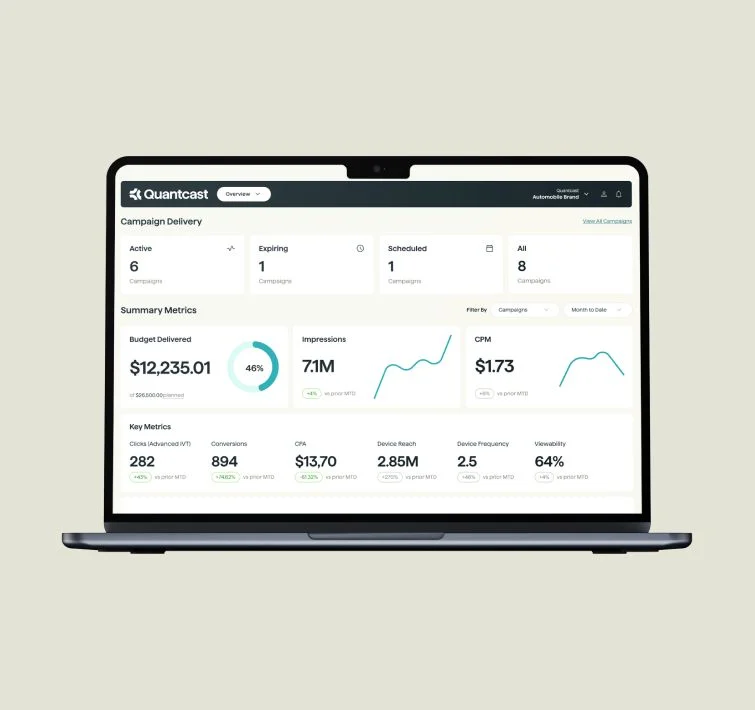
Because planning, activation, and measurement are unified, you can see campaign insights and reporting within a few hours of launch.
Key reports include:
- Performance: Graphs tracking metrics like clicks, conversions, and key campaign events.
- Demographics: Real-time data on the age, education level, and other attributes of the audience you are reaching.
- Insights Lab: A collection of reports on various aspects of the campaign and ad sets.
This tight feedback loop allows for maximum flexibility. You can easily make changes to your campaign settings based on real-time performance data, ensuring you are always optimizing for the best possible business outcomes.
Share article


